Occupancy and performance
63% occupancy means 34 of 54 chair-hours had a client, and the map shows where the other 20 are.
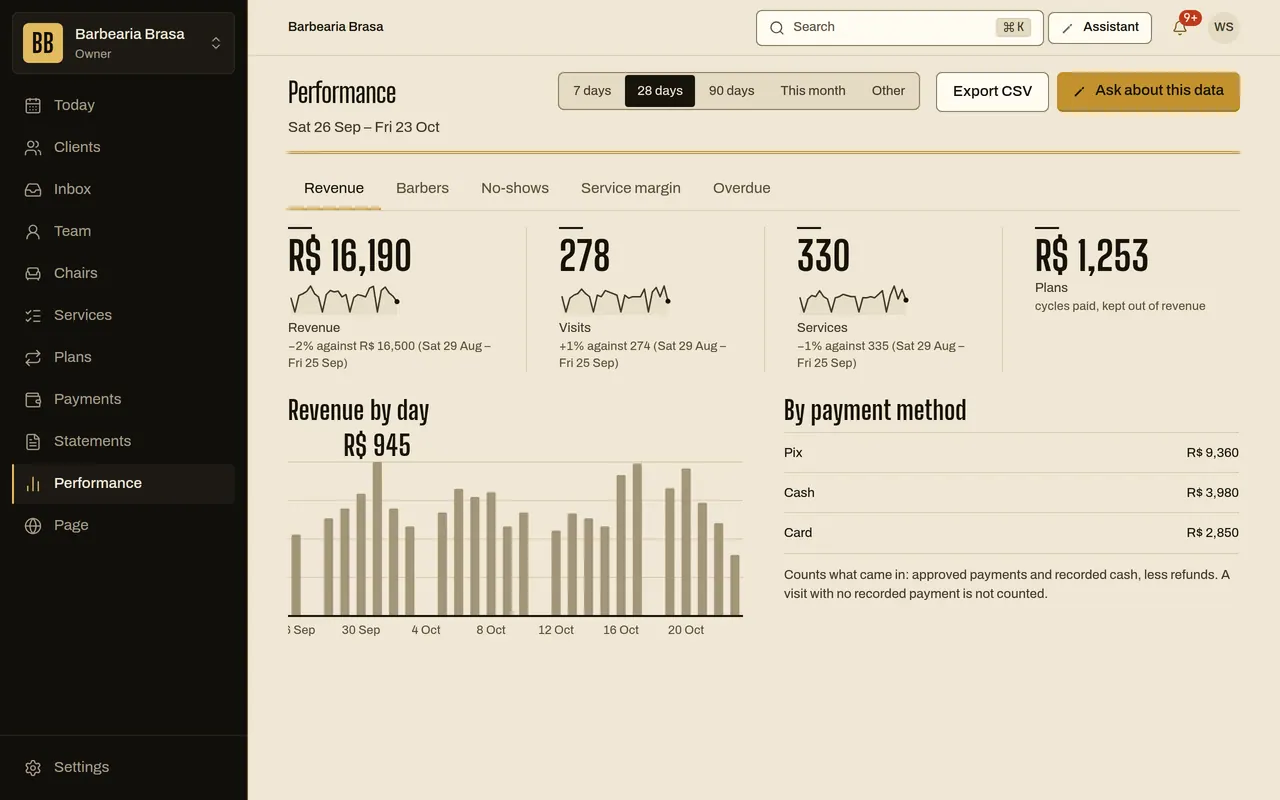
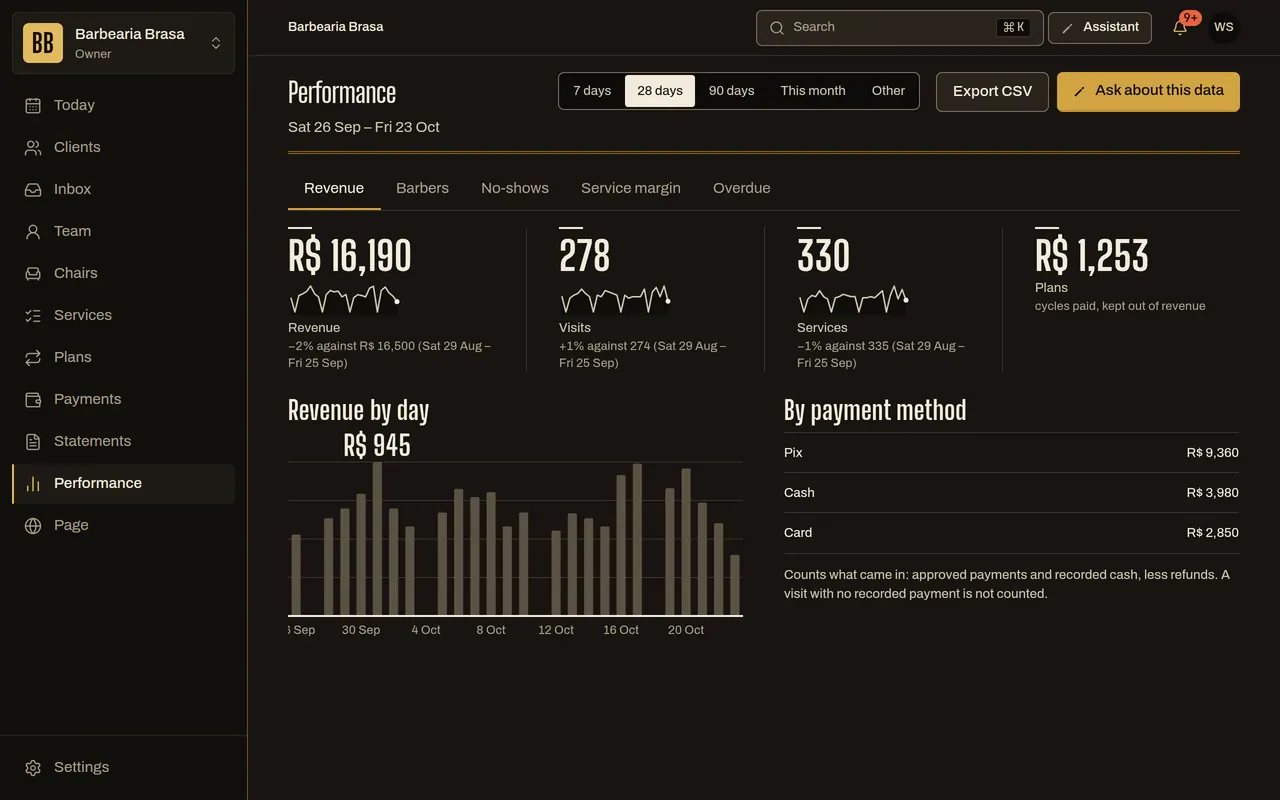
Occupancy is the booked service time over the time the barber could sell. Performance shows the number with its base beside it, the weekday and hour where the agenda fails, and what each barber sells.
30 days free, no card.
How it works
From a recorded visit to the client you call back.
-
The day happens
- What you do
- Serve, mark no-shows, close visits.
- What the system does
- Each visit is recorded with the chair, the barber and the price of the day.
- What the other person sees
- Nothing.
-
The system adds up
- What you do
- Nothing.
- What the system does
- Occupancy is the booked service time over the time the barber could sell: the shift minus breaks and blocks. 34 of 54 chair-hours is 63%, and the base always sits next to the percentage.
- What the other person sees
- Nothing.
One week, one chairExample
- Hours that could be sold
- 54 h
- Hours with a client
- 34 h
- Occupancy
- 63% of 54 h
-
You look at the week
- What you do
- Pick the period (7, 28 or 90 days, the month or dates of your own) and see how each weekday and hour usually fill.
- What the system does
- Paints stronger the hours that usually fill and outlines the fullest. With fewer than 14 days or 20 bookings, it says what is missing instead of drawing a pattern that isn’t there.
- What the other person sees
- Nothing.
-
You decide
- What you do
- Close a slot that doesn’t fill, or create a subscription plan to fill it.
- What the system does
- Shows, per barber, visits, how much they sold, the average per visit, occupancy, no-shows, how many clients booked again within 7 days and how many came back within 42.
- What the other person sees
- Nothing.
Rafa in the periodExample
- Visits
- 63
- Average per visit
- R$ 58
- No-shows
- 2 of 63 visits
- Came back within 42 days
- 41 of 55 clients
-
You call back the lapsed
- What you do
- Open the Lapsed tab, or ask the assistant “How many clients went missing?”.
- What the system does
- Lists the clients who are past their own rhythm, with the sentence that goes to each. It goes out only after your Accept, and at most one every 14 days per client.
- What the other person sees
- A message from the shop inviting them back.
Lapsed: MarcosExample
- Usually comes back every
- 21 days
- Proposed message
- It’s been 6 weeks since your cut. Want to book the usual?
Goes out only after your Accept
The week, hour by hour
Pick the shop or one barber, and a cell. Each cell says how much of that hour is usually booked.
65% · 94 of 144 chair-hours
Thu 2–4 pm · Shop · 40% of open time booked
Still figure: the final frame of the animation.
Rules you control
- Occupancy base
- the time the barber could sell: the shift you set, minus breaks and blocks
- Period
- 7, 28 or 90 days, the month or dates of your own, with the base always shown
- Week map
- appears with at least 14 days and 20 bookings
- Who sees it
- owner and admins see the shop; a barber sees their own numbers
- Message to a lapsed client
- goes out only after your Accept, at most one every 14 days
- Export
- CSV of each report, and of clients, bookings and payments
What it does not do yet
- It doesn’t compare your shop with others.
- It doesn’t forecast the coming weeks.
- It shows what already went through the system: a visit nobody recorded isn’t counted.
Questions
Where do the numbers come from?
From the bookings and visits that went through the system. Nothing comes from outside.
Can I see one chair only?
Each chair’s occupancy shows on the Chairs screen, with its base beside it. The week map covers the whole shop or one barber.
Does the barber see their own performance?
They see their own. They don’t see their colleagues’.
See also
- Online booking and agenda One column per chair, the shop’s link and a page for each barber.
- Chat assistant Answers the client on the link and helps you build the shop.
- Shop with a team Several barbers, each with an agenda and a statement.
- Shop with subscription plans Monthly plans and packs for the loyal client.