Pix and payments
The client pays a R$ 20 deposit by Pix, and the R$ 20 land in your account, not ours.
You connect the shop’s Mercado Pago. Pix, payment links and the client’s monthly payment go straight there. We only tell you when it arrives, and we charge you just the plan.
30 days free, no card.
How it works
From a connected Mercado Pago to the client who doesn’t show.
-
You connect Mercado Pago
- What you do
- Sign in with the shop’s Mercado Pago account, once.
- What the system does
- Done: your clients’ payments now land there.
- What the other person sees
- Nothing changes for them.
-
You decide on the deposit
- What you do
- Pick a deposit percentage, or leave it at zero.
- What the system does
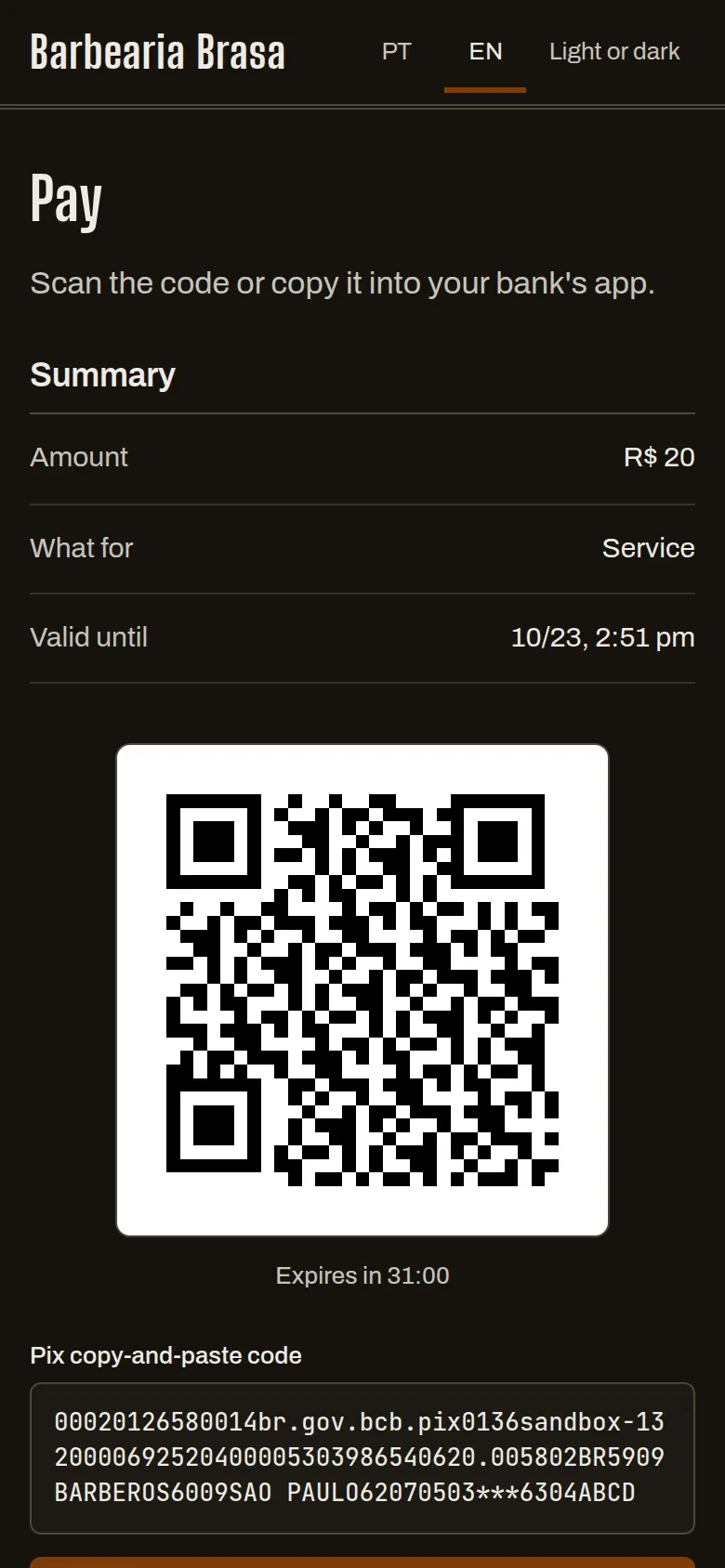
- When booking, creates a Pix for the deposit amount: 40% of a R$ 50 haircut is R$ 20. The slot stays held while the Pix is valid, at least 31 minutes.
- What the other person sees
- The Pix code to scan or copy, with the amount.
Deposit from MarcosExample
- Haircut
- R$ 50
- Deposit
- 40% = R$ 20
- Pix is valid for
- 31 minutes
Waiting for Pix
-
The Pix arrives
- What you do
- Nothing.
- What the system does
- When the Pix lands, the booking goes from “Waiting for Pix” to confirmed. If the Pix expires unpaid, the slot goes back on the agenda.
- What the other person sees
- The booking confirmation.
-
You charge outside a booking
- What you do
- Create a payment link for an amount and send it to the client.
- What the system does
- Notes the payment when the link is paid, or when you record cash or a card machine payment.
- What the other person sees
- A payment page with the shop’s name.
Payment linkExample
- Amount
- R$ 30
- The client sees
- a page with Brasa’s name
- Also records
- cash and card machine
-
The client doesn’t show
- What you do
- Mark a no-show. If the shop has a no-show fee, you decide whether to charge it.
- What the system does
- The no-show stays on the client’s history, and the slot goes back on the agenda. The system never charges the fee on its own.
- What the other person sees
- The policy the shop set, before booking.
Where the Pix goes
The line leaves the client’s phone and reaches the shop’s Mercado Pago. The platform sits beside it, off the path.
Marcos · Haircut · 18:00 Waiting for Pix Paid
R$ 50 Pix received from Marcos.
Still figure: the final frame of the animation.
Rules you control
- Deposit
- 0% (you set it)
- No-show fee
- 0% (you set it)
- Time to pay the deposit
- the Pix’s own time, at least 31 minutes
- What we charge on client payments
- 0%
- Mercado Pago fees
- those of your account, charged by them
- Without Mercado Pago
- Pix on your own key with manual confirmation, cash and card machine
What it does not do yet
- It doesn’t issue invoices (NFS-e).
- Only Mercado Pago confirms payment by itself. Without it, you confirm receipts by hand.
Questions
Does the money pass through your account?
No. It lands in the shop’s Mercado Pago. We never hold the money.
Do you charge a percentage?
No. You pay only the plan. Mercado Pago’s fees are charged by them, on your account.
What if the Pix doesn’t arrive?
The slot goes back on the agenda when the Pix expires. If Mercado Pago’s notice is late, we check again and confirm as soon as the Pix shows up.
Can I refund a payment?
Yes, from the payment screen. The refund comes out of your Mercado Pago.
Does it work without Mercado Pago?
In manual mode: the client pays on your Pix key, in cash or on the card machine, and you confirm. With a deposit, the booking is confirmed at once and the receipt waits for your confirmation.
See also
- Subscription plans Monthly plans and packs of uses, charged to the client.
- Commissions and statements Commission, chair rent or both, worked out per service.
- Shop with subscription plans Monthly plans and packs for the loyal client.
- Shop with a team Several barbers, each with an agenda and a statement.