Chat assistant
At 10 pm the client asks for a haircut and confirms, with nobody at the shop awake.
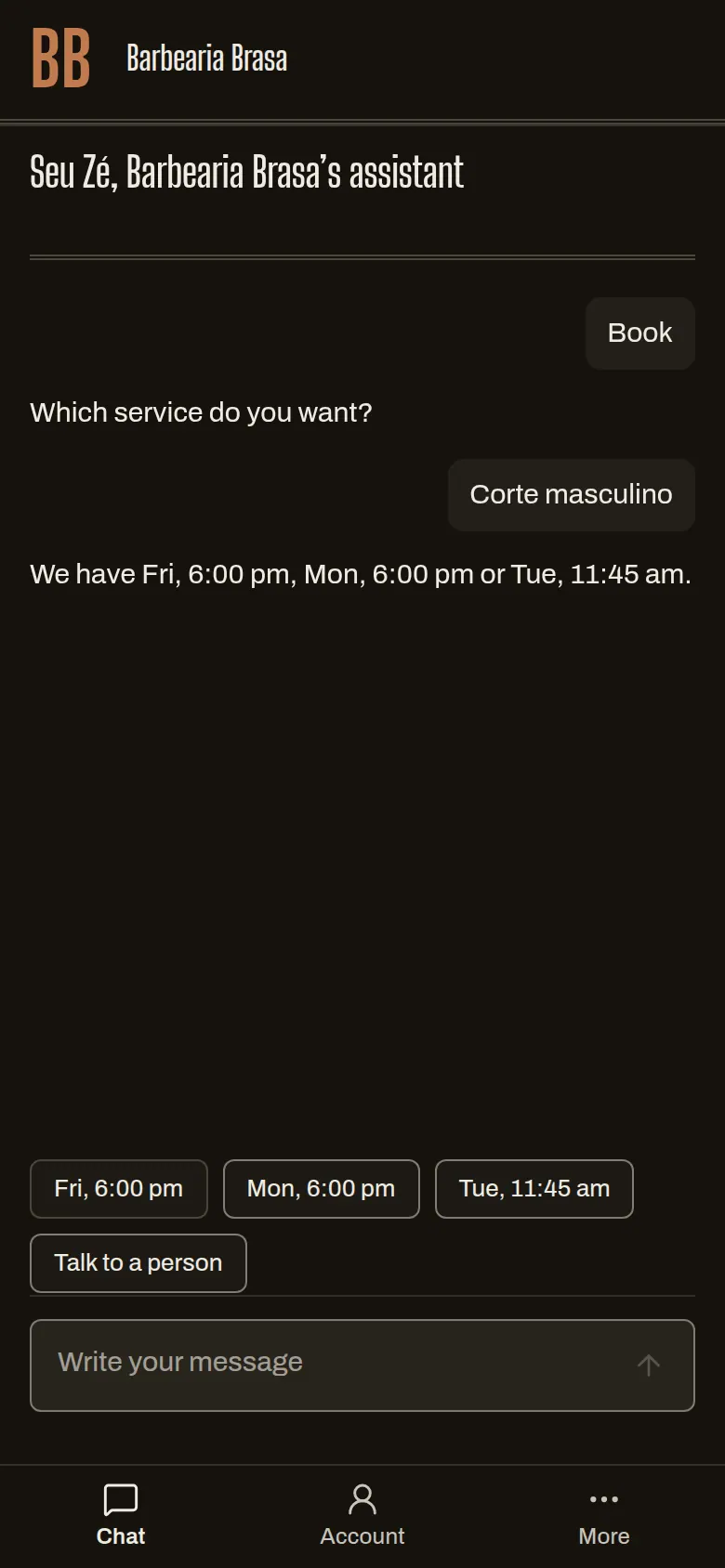
The assistant chats with the client on the shop’s link, offers the right barber’s free slots and books when the client confirms. For you, it helps set up the shop and answers with your numbers.
30 days free, no card.
How it works
The first four steps belong to the client’s assistant. The fifth belongs to the owner’s.
-
The client writes
- What you do
- Nothing.
- What the system does
- Looks at the shop’s agenda and services and answers with free slots. It talks only about what the shop has set up.
- What the other person sees
- A conversation in their language, with buttons to pick the slot.
-
The client confirms
- What you do
- Nothing.
- What the system does
- Shows a summary: service, barber, day, price and cancellation deadline. Only the client’s tap on “Confirm” books.
- What the other person sees
- “Haircut Thursday 6:00 pm · R$ 50 · free cancellation until 12 h.”
Summary before bookingExample
- Service
- Haircut
- Day and time
- Thursday, 6:00 pm
- Price
- R$ 50
- Cancellation
- free until 12 h before
Only a tap on Confirm books. Typed text does not confirm.
-
The client changes or cancels
- What you do
- Nothing, inside the deadline.
- What the system does
- Reschedules or cancels one booking at a time. Inside the shop’s deadline, it refuses and explains.
- What the other person sees
- The new slot, or why it can’t change.
-
The assistant can’t solve it
- What you do
- You get a notice and reply from the dashboard.
- What the system does
- If the client asks for a person, or after 2 misses, it hands the conversation to the shop.
- What the other person sees
- “I’ll call someone from the shop.”
-
The owner asks or configures
- What you do
- Paste your list of services and prices, or ask “How many clients went missing?”.
- What the system does
- Proposes the changes in one batch: services, hours, chairs and barbers. Answers questions with the shop’s numbers. Nothing is saved without your button.
- What the other person sees
- You are the one who sees it: “Apply 7 changes”, with Accept, Edit and Discard.
Apply 7 changesExample
- Services
- 4 new, with prices
- Hours
- Tuesday to Saturday
- Team
- 2 barbers, 3 chairs
Assistant draft · not yet confirmed
Accept · Edit · Discard
Two conversations
Switch between the client’s conversation, which books, and the owner’s, which asks. In both, the assistant answers from the shop’s data.
Client books
- Haircut Thursday after 6 pm with Rafa
- We have Thursday, 6:00 pm or 7:30 pm. 6:00 pm7:30 pm
- Confirmed by you · it is in the book Haircut · Thursday, 6:00 pm · Rafa · R$ 50
Owner asks
- How many clients went missing?
- 9 of 212 active clients are past their own return rhythm. Marcos comes every 3 weeks and hasn't been in for 6. Want a draft message for him?
- Assistant draft · not yet confirmed Draft accepted by you Hi Marcos, how are you? It's been 6 weeks since you last came to Brasa. Want a slot this week?
Still figure: the final frame of the animation.
Rules you control
- Assistant on the shop’s link
- on (you can turn it off)
- What the assistant saves
- nothing without a confirming tap
- Credits per client conversation
- 1 per day of conversation
- Credits per owner question
- 2
- Extra credits
- pack of 500 for R$ 39
- Out of credits
- the chat falls back to the booking form
What it does not do yet
- Today the client chats on the shop’s link. Service on the shop’s WhatsApp is coming soon, through the official channel, and isn’t live yet.
- The assistant doesn’t charge or refund on its own.
Questions
Does the assistant talk to my clients on its own?
Within what you set up: slots, services, prices and cancellation policy. Booking, rescheduling and canceling happen only when the client taps confirm.
What does it do for the client?
Shows services, barbers and free slots, books, reschedules and cancels. It also signs up for, pauses and cancels a plan, sends the Pix for what is still unpaid, and calls someone from the shop when the client asks.
What if it gets it wrong?
The client sees the summary before confirming, and the cancellation deadline applies as for any booking. If they ask for a person, the conversation goes to the shop.
What language does it answer in?
In the client’s language.
What does it cost?
Each plan includes credits every month, and a client conversation uses 1 per day. Past that, you buy a pack or the chat uses the form. The amounts for each plan are in the list of rules above.
When does WhatsApp arrive?
It’s in development and we have no date. When it’s live, you connect the shop’s number in settings.